Installation
Follow fresh installation guideline if you are having problem to install template.
Complimentary Extensions
Template Settings
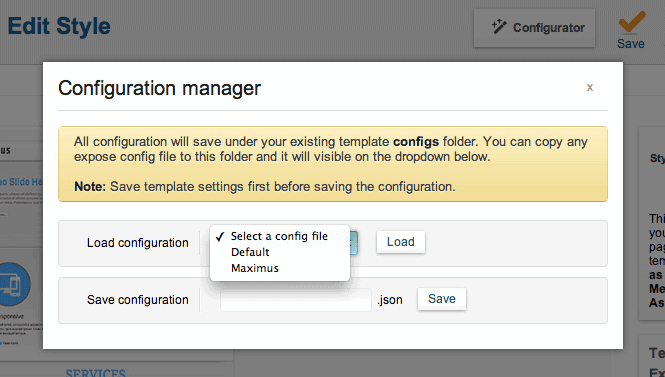
To load factory settings of this template please open template settings and click Configurator button. Under Load configurationbutton you will see all available settings there and choose settings named as your template name. Then press load button and you're done!
Homepage Settings
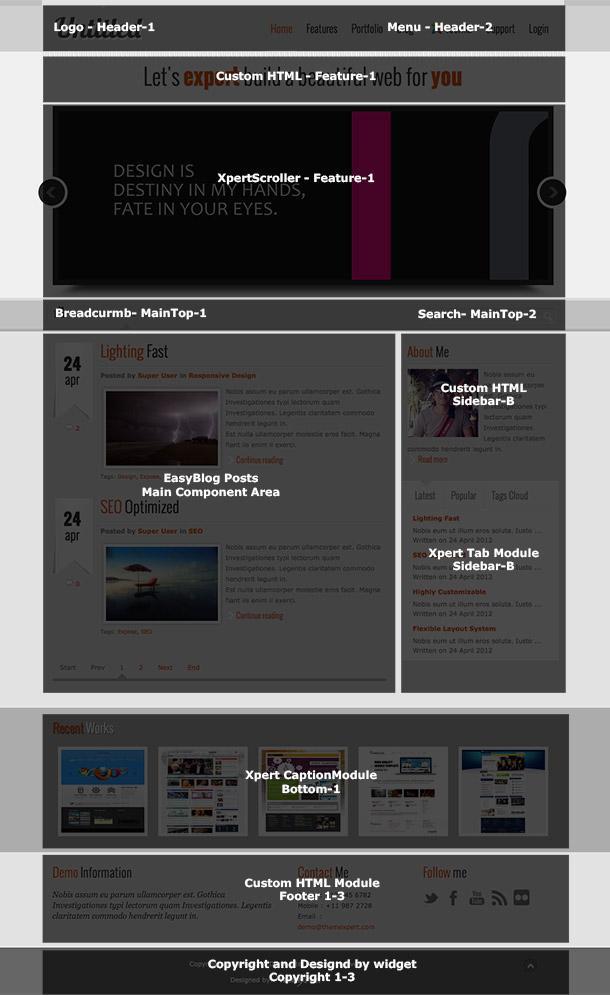
The screenshot below shows you the modules we have published on the homepage of the demo site.
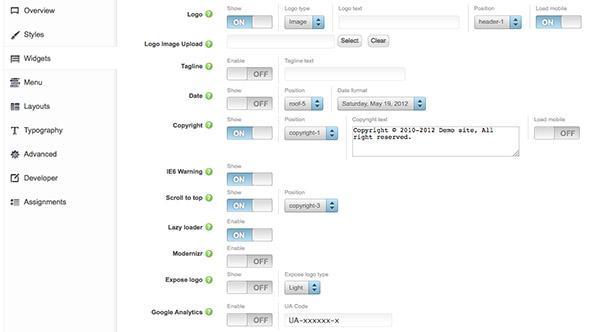
Widget Settings
Menu Settings
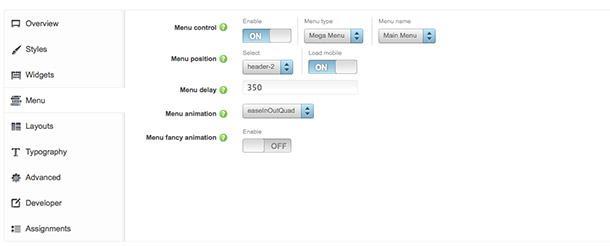
Layout Settings
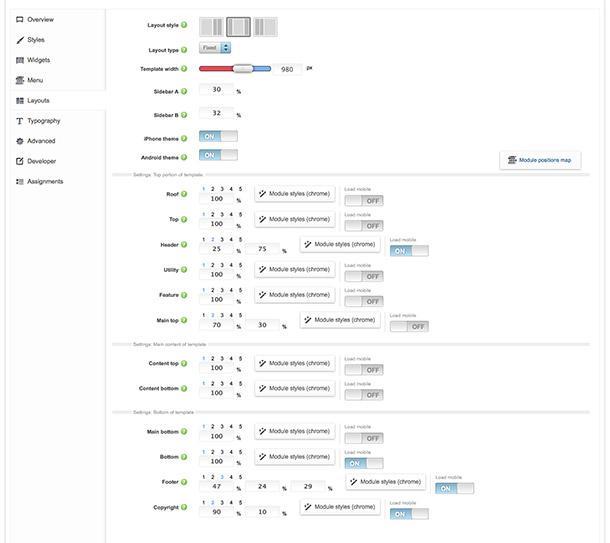
Module Positions

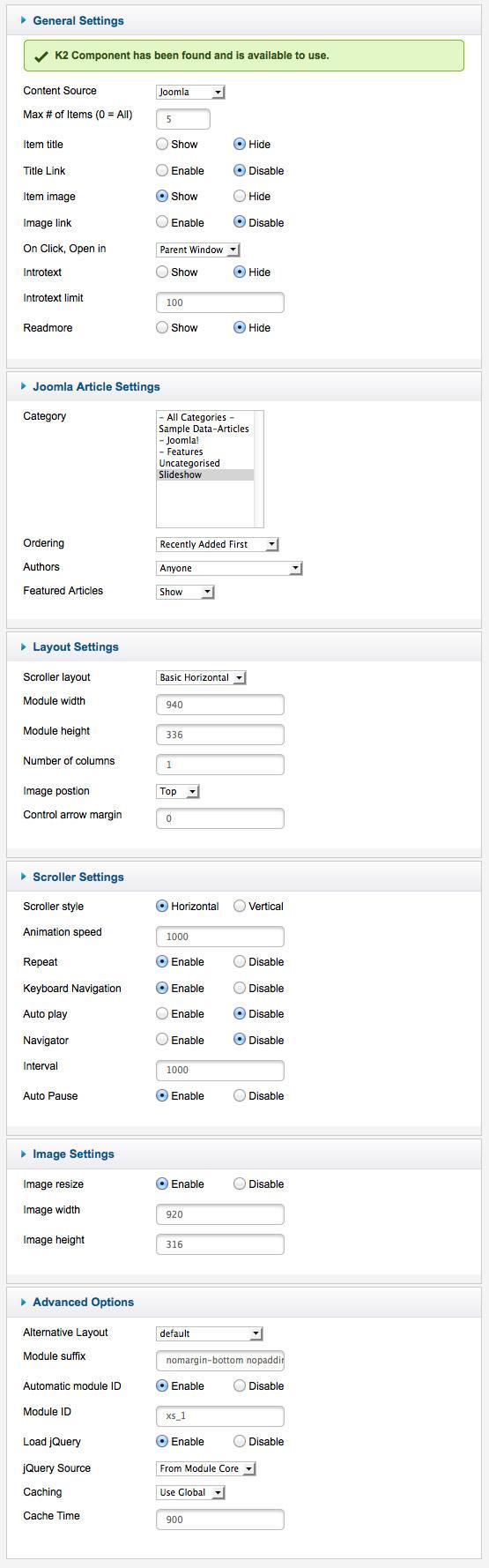
Scroller settings
This module is powered by Xpert Scroller and here are the settings.
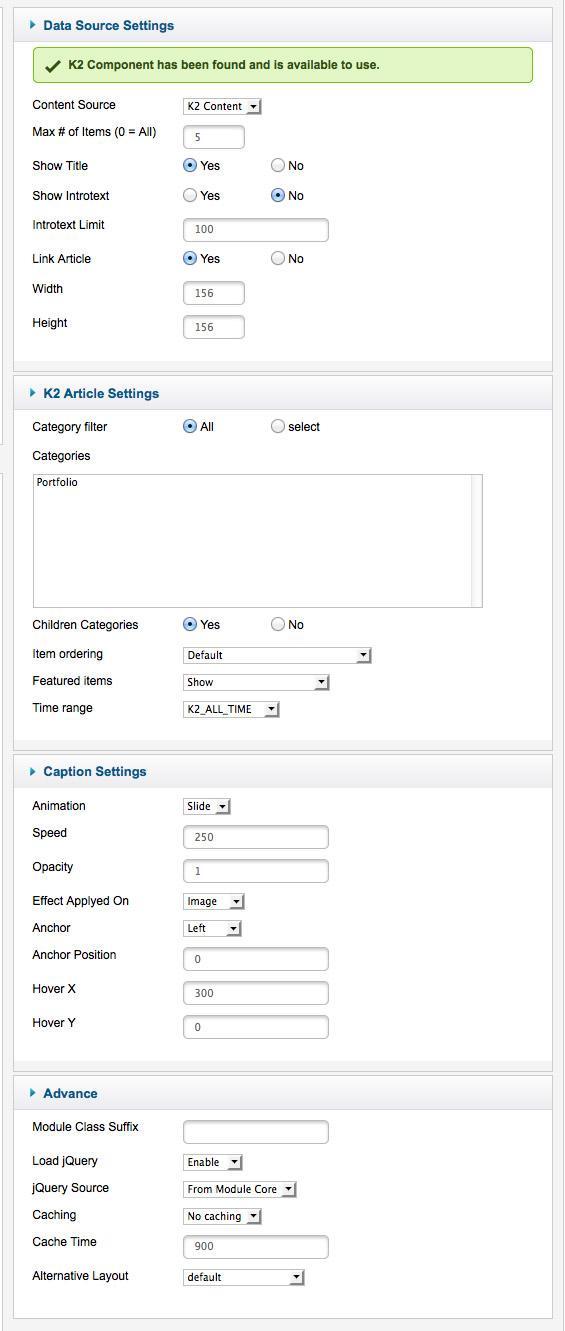
Captions settings
This module is powered by Xpert Captions and here are the settings.
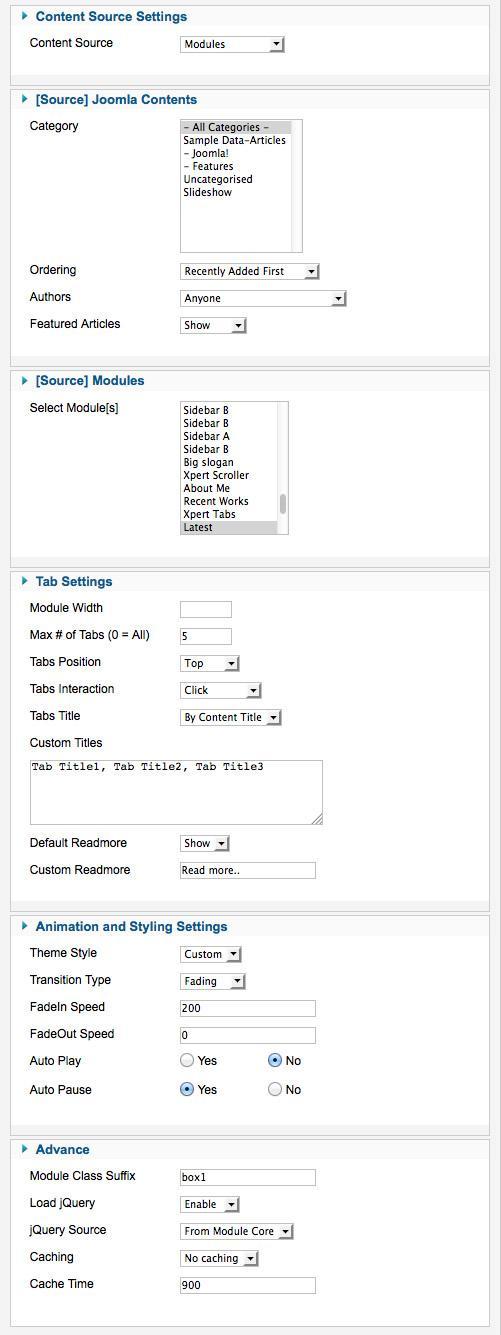
Tab settings
We used Xpert Tabs here and have a look on the settings