

Installation ---------- Follow fresh installation guideline if you are having problem to install template. Complimentary Extensions ##Template Settings ---------- To load factory settings of this template please open template settings and click Configurator button. Under Load configurationbutton you will see all available settings there and choose settings named as your template name. Then press load button and you're done! 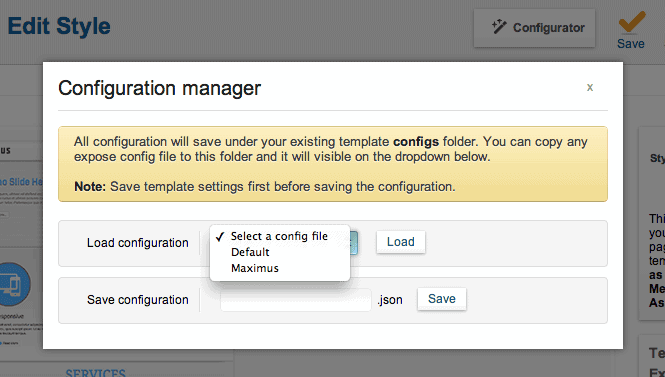 ##Homepage Settings ---------- The screenshot below shows you the modules we have published on the homepage of the demo site.
 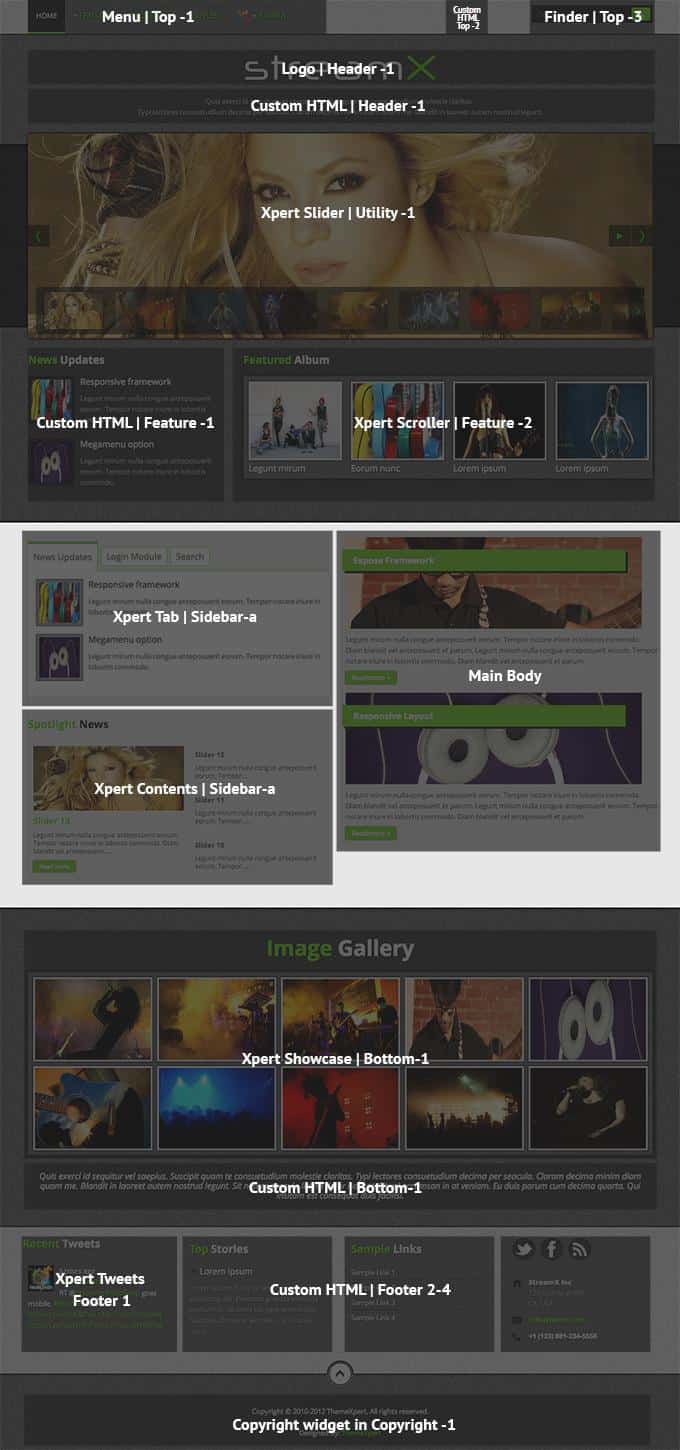 ##Module Positions
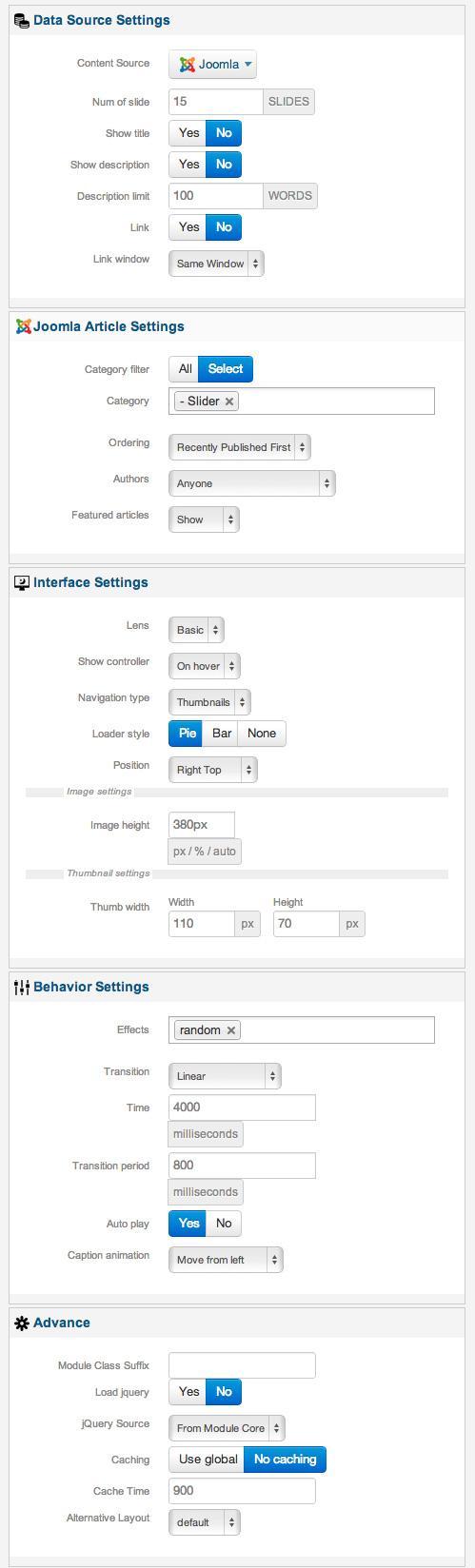
  ###Slideshow Settings This module is powered by Xpert Slider and here is the settings.
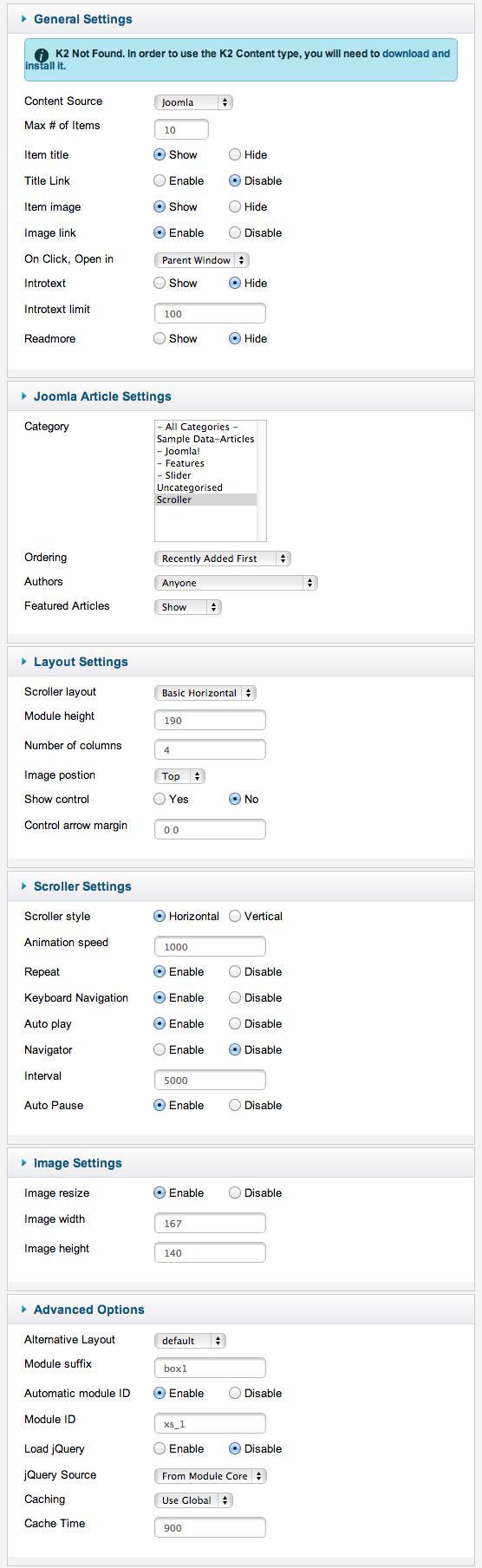
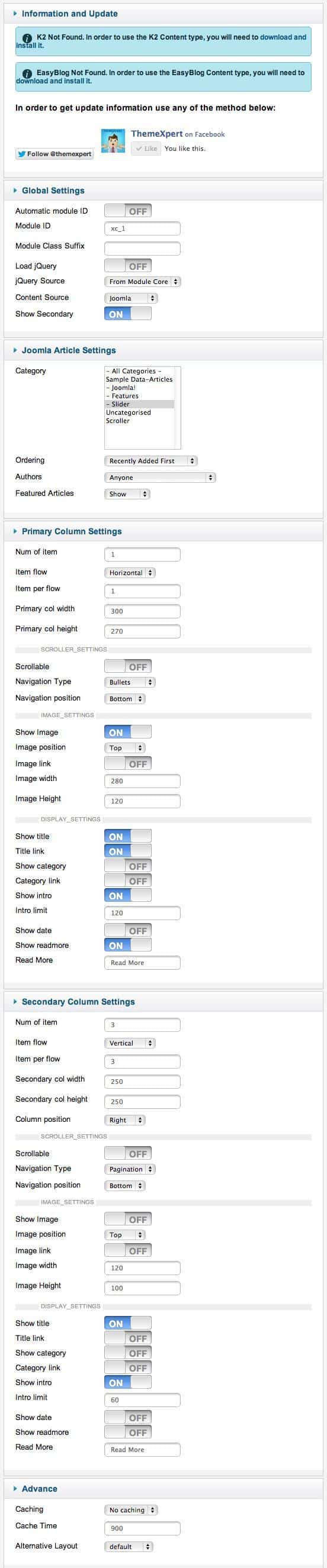
  ##Scroller Settings This module is powered by Xpert Scroller and here is the settings.
  ##Tab Settings This module is powered by Xpert Tabs and here is the settings.
 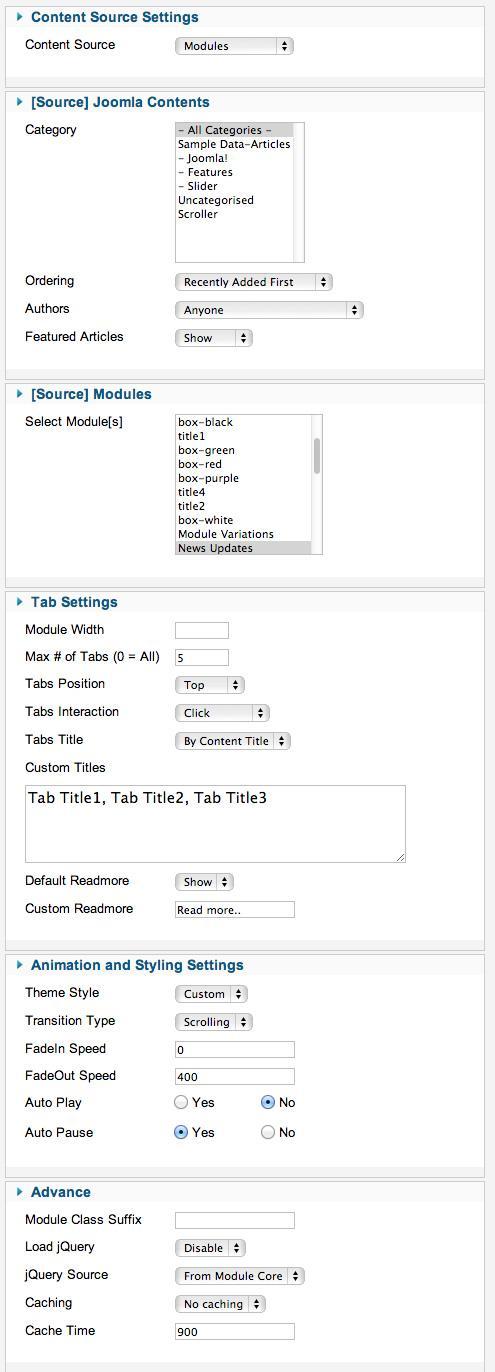 ##Content Settings This module is powered by Xpert Contents and here is the settings.
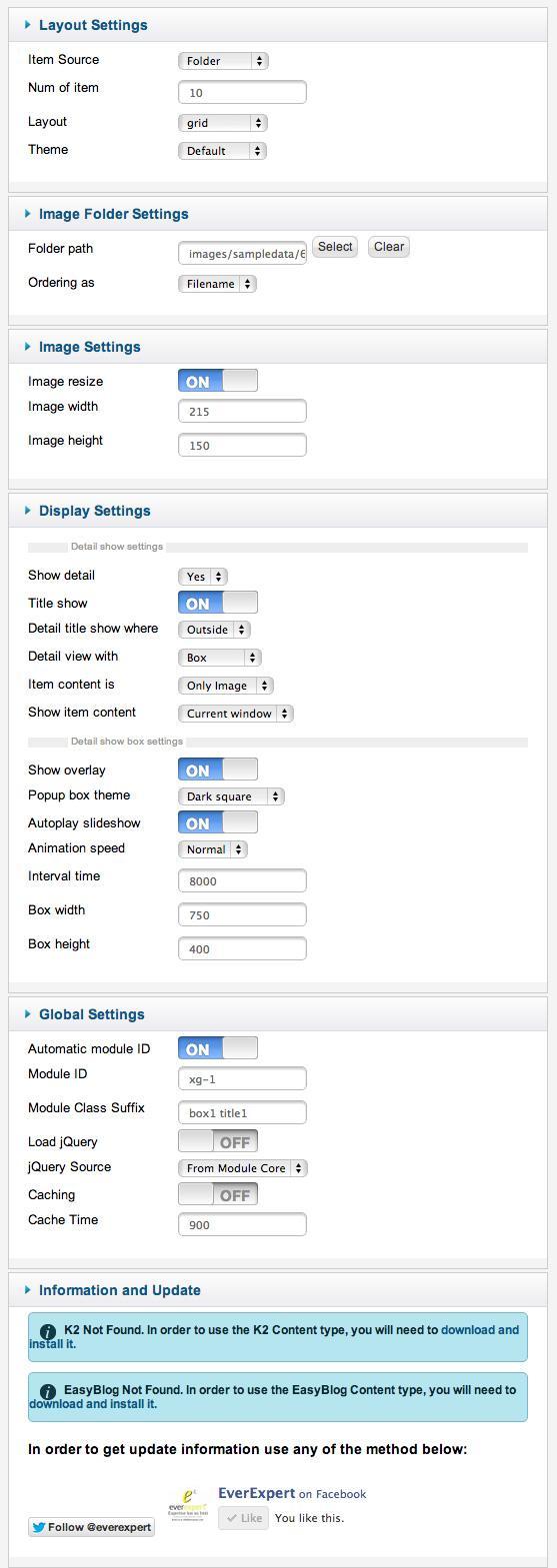
  ##Showcase Settings This module is powered by Xpert Showcase but it is deprecated now. You can use Xpert Gallery instead of it. Here is the required settings.
  ##Tweets Settings This module is powered by Xpert Tweets and here is the settings.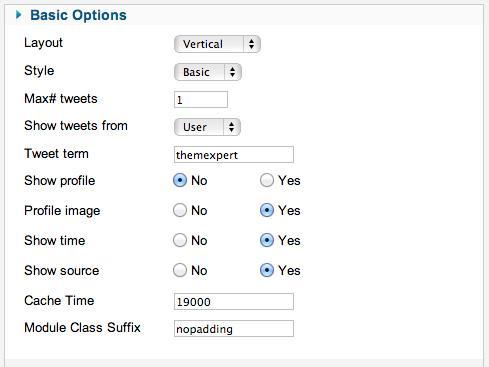
Complimentary Extensions