To change the favicon is pretty easy. In any of our Joomla templates, there is a option to upload and use custom favicon.
First, go to Extensions> templates
Click on the active template
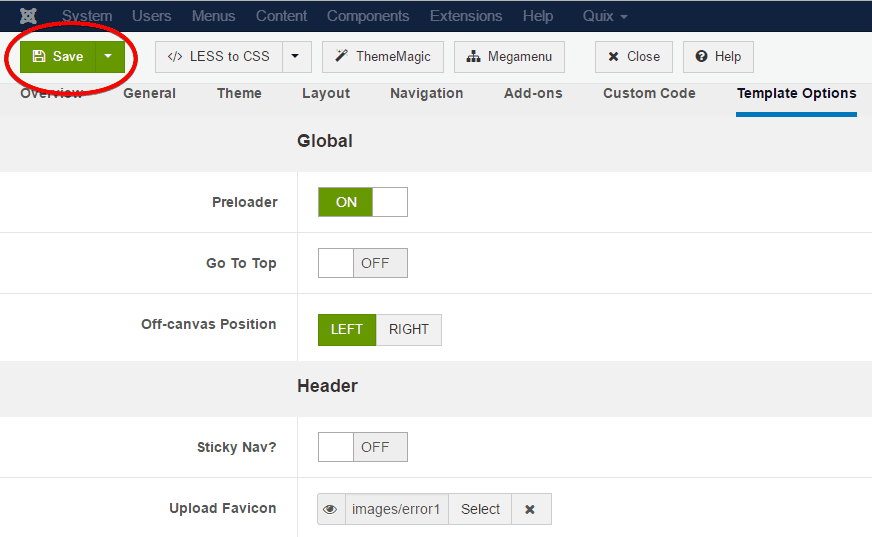
Go to teplate options, under the header section there is a option named Upload Favicon
Click on the button and it'll allow you to upload your custom favicon.
Click save button to save the settings like this.
It may take a little time to apply the new favicon on your site so, have patient.
To change the favicon is pretty easy. In any of our Joomla templates, there is a option to upload and use custom favicon.
First, go to Extensions> templates
Click on the active template
Go to teplate options, under the header section there is a option named Upload Favicon
Click on the button and it'll allow you to upload your custom favicon.
Click save button to save the settings like this.
It may take a little time to apply the new favicon on your site so, have patient.